
• Home
  • Solutions
  • Company
  • Case studies
  • Blog
  • Resources
    • Contact
    • FAQ
  • Home
  • Solutions
  • Company
  • Case studies
  • Blog
  • Resources
    • Contact
    • FAQ
Client Support
+91 9023939750
Contact Us
  • Home
  • Solutions
  • Company
  • Case studies
  • Blog
  • Resources
    • Contact
    • FAQ
  • Home
  • Solutions
  • Company
  • Case studies
  • Blog
  • Resources
    • Contact
    • FAQ
Client Support
+91 9023939750
Contact Us
Client Support
+91 9023939750
Contact Us
  • Home
  • Solutions
  • Company
  • Case studies
  • Blog
  • Resources
    • Contact
    • FAQ
  • Home
  • Solutions
  • Company
  • Case studies
  • Blog
  • Resources
    • Contact
    • FAQ
Case Studies

Fixing Sensitive Data Exposure via Autocomplete in a WordPress Login Form (Enterprise Security Audit Case Study) 

  • March 20, 2026
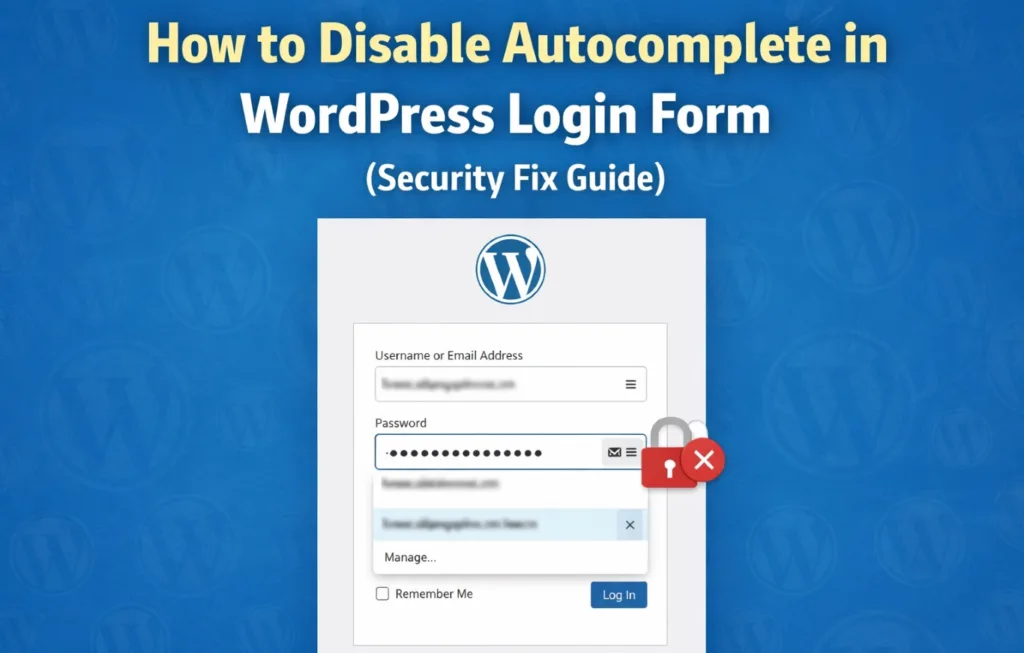
Disable autocomplete WordPress login form guide showing security fix to prevent sensitive data exposure and protect user credentials
Case Studies

Fixing Sensitive Data Exposure via Autocomplete in a WordPress Login Form (Enterprise Security Audit Case Study) 

Industry:Cybersecurity, Data Protection, Ethical Hacking, Login Security, Security Audit, Vulnerability Fix, Website Security, WordPress Development, WordPress Security

Overview

During a recent enterprise-level security audit conducted using Invicti, a vulnerability was identified related to the improper handling of browser autocomplete on a WordPress login form. The affected system was part of a high-security environment hosted under a .house.gov infrastructure, requiring strict compliance with web application security standards. This article outlines the issue, associated risks, and the remediation steps implemented to mitigate the vulnerability.


Vulnerability Details

  • Type: Sensitive Data Exposure via Autocomplete
  • Risk Level: Low
  • Detection Tool: Invicti
  • CVE: Not Assigned

The login form’s username field allowed browser autocomplete, which can lead to unintended storage and exposure of sensitive credentials on shared or compromised systems.

Why This is a Security Risk

While this may appear to be a minor issue, in high-security environments it presents several risks:

  • Credentials may be stored locally in the browser
  • Unauthorized users on shared systems may gain access
  • Increased risk in case of malware or browser compromise
  • Non-compliance with strict security policies and benchmarks

In environments handling sensitive or governmental data, even low-to-medium severity issues must be addressed proactively.

Root Cause

The default WordPress login form does not explicitly disable autocomplete for the username field in certain configurations, allowing browsers to store and suggest previously entered credentials.

Remediation Strategy

To mitigate the issue, we implemented a frontend-level control to explicitly disable autocomplete for the username field.

Implemented Fix

The following script was injected into the login form to enforce secure behavior:

add_filter('login_form_middle', function ($content) {
    echo '<script>
        document.addEventListener("DOMContentLoaded", function() {
            var input = document.querySelector("#user_login");
            if(input) {
                input.setAttribute("autocomplete", "off");
            }
        });
    </script>';
});

Additional Considerations

While disabling autocomplete improves security posture, it should be implemented alongside:

  • Strong password policies
  • Multi-factor authentication (MFA)
  • Secure session handling
  • Proper HTTP security headers

Verification

After implementing the fix:

  • The vulnerability was rescanned using Invicti
  • The issue was successfully mitigated
  • No further autocomplete-related exposure was detected

Conclusion

Even seemingly minor vulnerabilities like autocomplete behavior can pose risks in high-security environments. Proper hardening of authentication mechanisms is essential, especially for systems operating under strict compliance requirements.

Need a Security Audit?

If your website or server handles sensitive data, proactive security testing and hardening are critical.

  • WordPress Security Hardening
  • Server-Level Security (Linux / LiteSpeed / Nginx)
  • Vulnerability Assessment & Remediation

👉 Reach out to DigmLabs for a professional security audit.

case studies

See More Case Studies

Uncategorized

How to Run Flynax on CloudPanel with Nginx Rewrite Rules

Running a Flynax website often comes with unique challenges—especially when migrating from a cPanel-based Apache server to a more modern stack like Ubuntu 22.04 with

Learn more
Startups

How startups are cutting cloud costs, renegotiating deals with service providers

As global macroeconomic conditions worsen and funding slowdown continues, Indian startups are cutting their spends on an integral part of tech businesses.

Learn more
Cybersecurity

4 Cybersecurity Takeaways from China’s Largest Data Breach

Cybersecurity drama strikes again as human error leads to China’s biggest data breach and perhaps the most significant hack of personal information in history.

Learn more
Contact us

Partner with Cyber Experts for Future-Ready IT Solutions

Secure your infrastructure with our expert-led cybersecurity services, backed by powerful IT solutions like SEO, web development, and server optimization. Let’s build a secure digital future—together.
Call us: +91 90239 39750
Email: info@digmlabs.com
Core Benefits:
  • Cybersecurity & Threat Protection
  • Industry-Specific Compliance Expertise
  • End-to-End IT Consulting & Support
  • Agile, Scalable, and Secure Solutions
  • 24/7 Monitoring & Incident Response
  • Integrated Cloud & Infrastructure Security
What Happens Next?
1
Schedule a quick discovery call.
2
We assess your needs and prepare insights.
3
You receive a tailored service proposal.
Let’s secure your business. Start with a free consultation.

Contact

This field is for validation purposes and should be left unchanged.
Your Name(Required)

We work with a passion of taking challenges and creating new ones in advertising sector.

Solutions

Website Development & Design

Search Engine Optimization

Cybersecurity

Graphic Design & Branding

Website Development & Design

Company

About Us

Why Us

Careers

Industrial Training

Cybersecurity

Links

Contact us

Events

Our Team

Client Support

Case Studies

Blog

Reviewed on
 Rated 5 out of 5
2 Reviews

India
34, White Avenue, Hambran Road, Ludhiana, Punjab.

  • +91 9023939750

Malaysia
Lot 703-A Lorong Lintang Batu Tiga, Klang 41300, Selangor.

  • +601116694701
Phone: +91 9023939750
Email: info@digmlabs.com
© 2026 Digmlabs. All rights reserved

DigmLabs is driven by performance, security, and scalability. We engineer reliable digital systems — blending web development, server architecture, and cybersecurity — so businesses can operate, scale, and grow without friction.

top

Inactive

Simplifying IT
for a complex world.
  • About us
  • Why us
  • Careers
  • Industrial Training
  • Client Support
  • About us
  • Why us
  • Careers
  • Industrial Training
  • Client Support
Platform partnerships
  • AWS
  • Google Cloud
  • Microsoft
  • Salesforce

Inactive

Services
  • Search Engine Optimization
  • Digital Marketing & Advertising
  • Web Hosting & Maintenance
  • Server Management & Optimization
  • Search Engine Optimization
  • Digital Marketing & Advertising
  • Web Hosting & Maintenance
  • Server Management & Optimization
Business Challenges

Cybersecurity

Website Development & Design

Web Scraping & Data Extraction

Graphic Design & Branding

Industry Focus